




- SKU:
- BARCODE:
- VENDOR: DotTech.pk
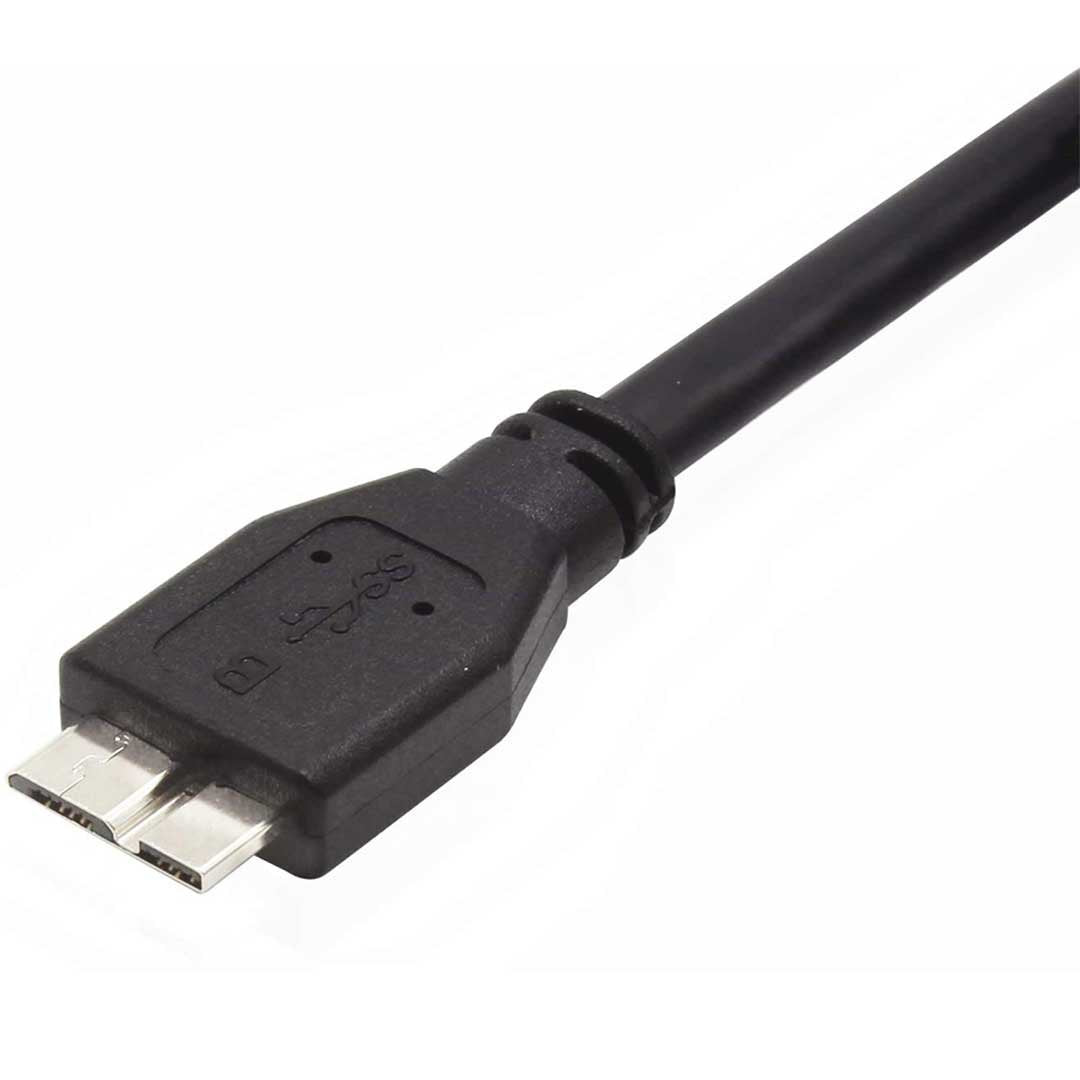
WD Hard Disk Cable 3.0


Guaranteed Safe Checkout
Description
Discover the Power of the WD Hard Disk Cable
The WD Hard Disk Cable is designed to provide you with a seamless and efficient connection between your hard disk and computer. Whether you're a professional needing reliable storage solutions or an everyday user looking to back up important data, this cable delivers superior performance that enhances your digital experience.
Compatible with a wide variety of Western Digital hard disk drives, the WD Hard Disk Cable boasts USB 3.0 technology, ensuring rapid data transfer speeds. With a simple plug-and-play setup, you can easily connect your devices without the hassle of complicated installations. Below, we dive deeper into the unique features and benefits that make this cable an essential accessory for your digital toolkit.
Key Features of the WD Hard Disk Cable
- Ultra-Fast Data Transfer: Enjoy transfer speeds of up to 5 Gbps, facilitating quick and efficient data management.
- Durable Construction: Crafted with high-quality materials, this cable is built to last, resisting wear and tear.
- Plug and Play: No need for installation; simply connect your devices and start transferring data instantly.
- Universal Compatibility: Works seamlessly with a range of WD hard drives and other USB 3.0 devices, including PCs, Macs, and laptops.
Why Choose the WD Hard Disk Cable?
In a market flooded with options, the WD Hard Disk Cable stands out for several reasons. First, the combination of speed and reliability makes it a top choice for users who demand high performance. Data loss is a significant concern, and ensuring your files transfer quickly and safely is paramount. This cable eliminates the guesswork, allowing you to store and retrieve your data without worry.
Moreover, the WD Hard Disk Cable features a sleek design that enhances your workspace with its modern look. The lightweight and flexible design also means you can easily carry it around, making it perfect for those on the go or professionals who may need to connect to multiple devices throughout the day.
How to Use the WD Hard Disk Cable
Using the WD Hard Disk Cable is straightforward. Begin by connecting one end to your hard disk and the other to a USB port on your computer or device. The instant recognition by your operating system will make accessing your files simple. Whether copying massive video files or dozens of small documents, this cable can handle the workload efficiently.
For best practices, always ensure your devices are powered on when connecting the cable. This will help in maintaining a stable connection and ensure faster data transfers. When disconnecting, make sure to eject the disk safely to avoid potential data corruption.
Customer Satisfaction and Reviews
The positive reviews for the WD Hard Disk Cable reflect its popularity and reliability among users. Many praise the cable for its durability and performance, highlighting how it exceeded their expectations during frequent use. Customers also appreciate the affordability, as this cable offers premium quality without breaking the bank.
Users have noted a significant decrease in data transfer times compared to their previous cables, which makes tasks like backups and file movements much more efficient. Additionally, the warranty provided gives buyers peace of mind, knowing they are investing in a quality product.
Conclusion: Don't Compromise on Your Data Transfers
The WD Hard Disk Cable is not just a simple accessory; it is an essential tool that elevates how you manage and store your digital information. With high-speed performance, exceptional durability, and universal compatibility, this cable is designed to meet the needs of every user, from casual data savers to IT professionals.
Don’t settle for less when it comes to your hard disk connections. Invest in the WD Hard Disk Cable today and experience the difference in speed and reliability. Order now and elevate your storage solutions!
Care
Caring for your gadgets is also caring for the environment.
To keep your gadgets fresh and clean, simply refresh them and gently wipe with a cloth or microfiber brush. This is a more delicate process for electronics and helps avoid water and energy consumption from repairs.
- Keep dry at a temperature not exceeding 45°C / 113°F
- Do not use bleach or liquid cleaners
- Do not self-repair
- Do not tumble or drop
Shipping & Returns
Processing: 24-48 working hours.
Delivery: 4-5 working days in major cities and 5-10 working days in other areas.
Easy Returns: Hassle-free 7-day policy.
Full Refund: Return in original condition.

